TABZOOKA
Fun things to do on a school Chromebook when you’re bored
Fun things to do on a school Chromebook include Google’s hidden tricks (search “do a barrel roll”), Chrome Music Lab’s Song Maker, drawing games like Quick, Draw!, typing races on TypingClub, puzzles like Wordle, and Chrome extension games if your school allows them. All of them run in a browser tab and need no downloads.
Google tricks that take ten seconds
Google Search has jokes built in, and google.com is almost never blocked at school. Type these into the search box:
- do a barrel roll: the whole results page spins once.
- askew: everything tilts a few degrees.
- play snake: a full Snake game appears above the results.
- spinner: a fidget spinner you can flick, with a number spinner option.
- flip a coin or roll a die: handy when your group can’t decide who presents first.
Google Gravity, where the homepage collapses into a pile at the bottom of the screen, isn’t a built-in trick but a fan-made copy. Our Google Gravity guide explains where it comes from and which versions are safe to open.
Make music or art
Chrome Music Lab is a set of music toys from Google made for classrooms. Song Maker lets you click a grid to build a melody and drum beat, then share a link to it. Kandinsky turns your doodles into sounds. Neither needs an account.
Quick, Draw! gives you 20 seconds to draw something while a computer guesses what it is. If you’d like something slower, AutoDraw turns rough sketches into clean clip art, which is useful for posters and slides as well as for messing around.
Puzzles and word games
Wordle gets you one five-letter word a day, and the New York Times Games site also has Connections and the Mini crossword. Little Alchemy 2 has you combine air, earth, fire and water into hundreds of things, and saves as you go. Lichess is free chess with no ads; its puzzle mode gives you one tactic at a time, which suits a short break.
Get faster at typing
TypingClub is used by a lot of schools already, so it’s rarely blocked, and its lessons feel like levels. If you’d rather race, Monkeytype shows your words per minute after a 15 or 30 second test. Typing speed is one of the few “bored at school” skills that helps with every essay you’ll write.
Play a game on the page you already have open
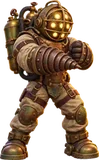
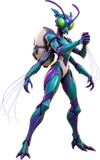
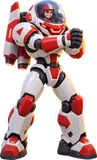
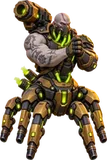
This one’s ours. Tabzooka is a Chrome extension that turns the website in your tab into a level. You pick a hero, jetpack across the headlines and images, and blast the page apart; closing the menu puts the page back exactly as it was. It doesn’t touch the real site, and nobody else sees anything.
A Target Rush level is about a minute: 8 targets and 64 seconds on level 1. If the site you’re on doesn’t make a good level, there are five built-in arenas to play instead. The free version has two heroes and every mode except Web Invasion, and it needs no account.
School Chromebooks often block new extensions. If the Add to Chrome button is greyed out, that’s your school’s setting, and you can ask your teacher or IT team whether it can go on the approved list. Our guide to games to play at school explains how those settings work.
Make your Chromebook yours
You can usually change these even on a managed laptop:
- Wallpaper: right-click the desktop and choose Set wallpaper & style. ChromeOS has a dark mode and can switch colours to match your wallpaper.
- Chrome’s look: open a new tab, click Customize Chrome in the bottom corner, and pick a colour or background.
- Shortcuts: press Ctrl+Alt+/ to see every keyboard shortcut. Ctrl+Shift+Refresh rotates the screen, which is a good prank on yourself and a bad one on a friend.
Questions people ask
What can I do on a school Chromebook when I’m bored?
Try Google’s built-in tricks like “do a barrel roll”, make a song in Chrome Music Lab, draw in Quick, Draw!, practise typing on TypingClub or Monkeytype, or play a puzzle like Wordle. None of them need a download.
Are there games built into Google?
Yes. Search “play snake” for Snake, “spinner” for a fidget spinner, and “flip a coin” or “roll a die” for quick decisions. Google’s past Doodle games are also playable from the Doodles archive.
Can I change the wallpaper on a school Chromebook?
Usually, yes. Right-click the desktop and choose Set wallpaper & style. Some schools lock the wallpaper, in which case the option won’t appear.
Why is the Chrome Web Store blocked on my school Chromebook?
Schools can block the Chrome Web Store or allow only approved extensions. It’s a setting your school’s IT team controls, so ask them if there’s an extension you need.