TABZOOKA
Google Gravity: how to make Google fall apart
Google Gravity is a web experiment from 18 March 2009 that makes the Google homepage collapse: the logo, search box and buttons drop to the bottom of the window, and you can grab and throw them. It was never part of Google Search. You open it on mrdoob.com or elgoog.im, or type “google gravity” on Google and press I’m Feeling Lucky.

What Google Gravity is
Google Gravity is one of the oldest jokes on the web. The developer Ricardo Cabello, better known as Mr.doob and later the creator of the 3D library three.js, published it on 18 March 2009. Google listed it among its Chrome Experiments, small demos meant to show what a fast browser could do with JavaScript, and its Experiments site credits the London studio Hi-ReS!, where the project was made.
It opens as a copy of the old Google homepage. Move the mouse and the page loses its grip: the logo letters, the search box, the buttons and the footer links fall and pile up at the bottom of the window. You can pick pieces up, throw them across the screen and stack them. According to elgoog, which keeps a working copy online, the search box still works after the fall.
How to open Google Gravity in 2026
- Go to google.com, type google gravity and press I’m Feeling Lucky. That skips the results page and opens the top result, which is usually one of the copies below. If you land on a results page instead, click the first link.
- Or open a copy directly: the 2009 original on mrdoob.com or elgoog’s restored version.
- Move your mouse. After a moment everything drops.
- Drag a piece and let go to throw it. Reload the page to rebuild it.
Both copies were online when we checked on 8 October 2026.
Why it sometimes seems not to work
Google Gravity changes its own copy of a 2009 page. Your real Google tab won’t move, and searching “google gravity” in normal Search only shows a list of links. That trips up a lot of people who expect Google to fall over in place.
It was also built for a desktop browser and a mouse. If a school or office network blocks elgoog or mrdoob, the page won’t load at all.
Other tricks from the same family
- Google Space: Mr.doob’s zero-gravity version from October 2012. Every element floats around the screen, and you can still finish a search.
- Google Underwater: Google’s own April Fools’ page from 1 April 2012, which turns the homepage into a seascape with the logo floating on the surface while fish swim past. elgoog restored it after Google took it down.
- Google Sphere: another Mr.doob experiment, on the same site as the original Gravity.
Make the real Google page fall apart
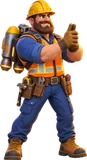
Every trick above runs on a copy. To break the real google.com, or any other site you have open, you need something that runs inside your own tab. That’s what Tabzooka does. It’s a Chrome extension: press Alt+Shift+Z and a jetpack hero drops onto the page. The logo, search box, buttons and text all become solid platforms, and every weapon breaks them into pieces that fall and pile up below.
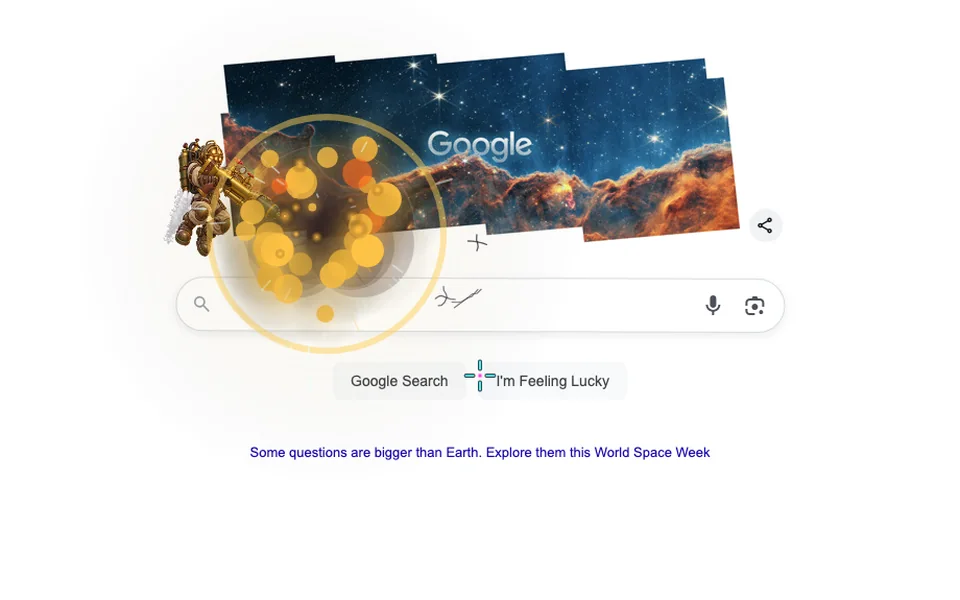
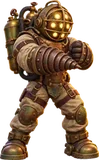
We tried it on google.com on 8 October 2026, the day Google ran a World Space Week doodle. Fathom, the free diving-suit hero, stood on the doodle and fired depth charges into the search bar. Closing the game put the page back exactly as it was. Nothing changed on Google’s side, and nobody else saw a thing.
Google Gravity vs Tabzooka
| Google Gravity | Tabzooka | |
|---|---|---|
| Where it runs | A 2009 copy of the Google homepage | Any normal web page, including the real google.com |
| What you do | Watch elements fall, then drag and throw them | Run, jetpack and shoot the page apart |
| Goals | None | 5 modes, levels, 10 bosses, leaderboards |
| Install | None | Chrome extension |
| Multiplayer | No | Up to 6 players on the same page |
| Price | Free | Free with 2 heroes; Pro adds more |
Google Gravity is a ten-second laugh you can send to anyone. Tabzooka takes the same idea further, with heroes, weapons and goals, on whatever page you happen to be reading.
How to wreck Google with Tabzooka
- Add Tabzooka to Chrome. It’s free.
- Open google.com, or any other site.
- Press Alt+Shift+Z, or click the Tabzooka icon and choose “Wreck this page”.
- Pick Fathom or Brick, the free heroes, and Free Play.
- Aim with the mouse and click to fire. Hold W or Space in the air to jetpack.
- When you’re done, press Esc and click the X. The page goes back to normal.
The full controls are on the how to play page.
Questions people ask
Is Google Gravity a real Google feature?
No. Google Gravity is a 2009 web experiment by Mr.doob that Google listed among its Chrome Experiments. It was never built into Google Search, so it only runs on copies such as mrdoob.com and elgoog.im.
Does Google Gravity still work in 2026?
Yes. The copies on mrdoob.com and elgoog.im were online in October 2026. Type “google gravity” on Google and press I’m Feeling Lucky, or open either site directly and move your mouse.
Is Google Gravity safe to use?
The copies on mrdoob.com and elgoog.im are ordinary web pages with nothing to download. Be wary of any site that asks you to install a program to unlock Google Gravity, because the real one needs none.
Can you search in Google Gravity?
On elgoog’s restored copy, yes. The search box keeps working after it falls, and Google Space, the zero-gravity version from 2012, also lets you complete a search.
Can I make any website fall apart like Google Gravity?
Yes, with Tabzooka, a Chrome extension. Press Alt+Shift+Z on any normal page and its text, images and buttons become pieces you can shoot apart. It only changes your own tab.
Does Tabzooka work on google.com?
Yes. We tested it on google.com in October 2026: the logo, search box and buttons acted as platforms and broke when hit. Closing the game restored the page, and Google itself was untouched.