TABZOOKA
How to turn any website into a game
To turn a website into a game, install the Tabzooka Chrome extension, open the site and press Alt+Shift+Z or click the toolbar icon. The page’s own text, images and buttons become solid platforms and targets for a jetpack hero, and the page goes back to normal when you close the game.
Step by step
- Add Tabzooka to Chrome from the Chrome Web Store.
- Open any normal website: a news site, a shop, your own blog.
- Press Alt+Shift+Z, or click the Tabzooka icon and choose Wreck this page.
- Pick a hero and a mode, then run with A and D, jump or jetpack with W or Space, and aim and fire with the mouse.
How a web page becomes a level
Every web page is a stack of boxes: headings, paragraphs, images, buttons. Tabzooka reads where those boxes sit on the screen and turns each one into a solid object. That’s why you can stand on a headline, hide behind an ad, or drop a rocket on a paragraph and watch the letters fall.
All of this happens inside your own tab. The page content isn’t sent anywhere and the real site isn’t changed, so closing the game puts everything back.
Which pages work best
- News sites and blogs have lots of headlines and images to break.
- Long pages are great for Floor Is Lava.
- Busy shop pages give Web Invasion’s creatures plenty to climb on.
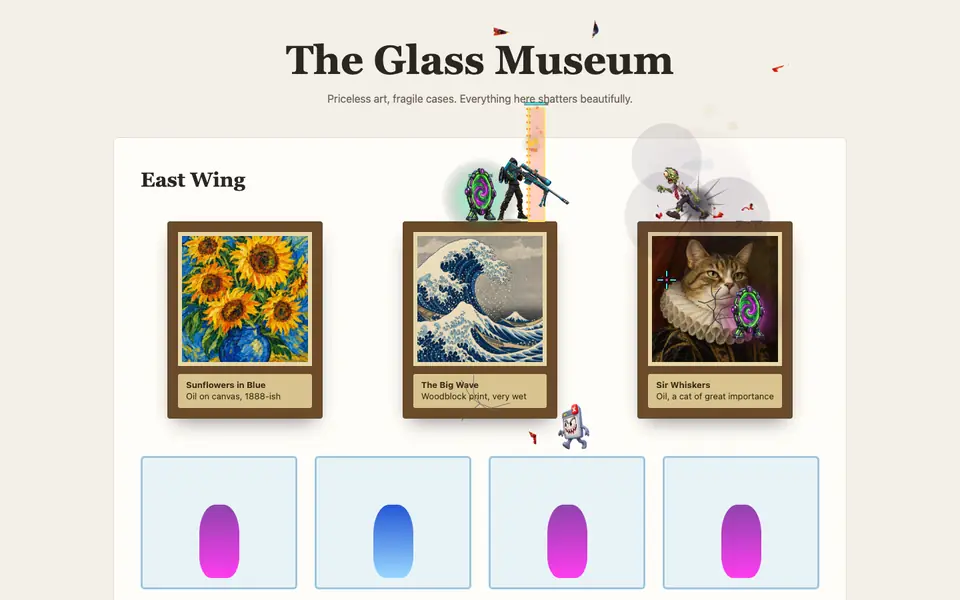
If you’d rather not wreck the site you’re reading, the extension has 5 arenas built for it, including a fake news site, a glass museum, a server farm and a 26-floor tower.
Pages you can’t play on
Chrome doesn’t let extensions run on its own pages, like chrome:// settings or the Chrome Web Store. Those are protected, so Tabzooka can’t start there. Pages with unusual layouts can also look odd, so if one breaks, try another site or an arena.
See it first
The 18-second trailer shows a news site, a museum and a server farm getting wrecked, with heroes, bosses and multiplayer. For the full controls, see how to play.
The controls
| Action | Keys |
|---|---|
| Run | A / D |
| Jump, hold in the air to jetpack | W or Space |
| Dash | Shift |
| Aim and fire | Mouse |
| Grenade | G or right-click |
| Switch weapons | 1–7, mouse wheel, or hold Q |
| Build a crate | B |
| Special (when charged) | E |
| Hero tools | F / R |
| Hide the HUD | H |
| Menu | Esc |
Five ways to play a page
- Free Play: no clock, no enemies. Level the whole page.
- Target Rush: some elements get marked; destroy them before time runs out.
- Demolition: 60 seconds to hit a score.
- Web Invasion: creatures crawl out of the page, with a boss every third wave.
- Floor Is Lava: lava rises from the bottom. Build and keep climbing.
Free Play and Target Rush are free; the others come with Pro. Details are on the modes page.
Picking a hero
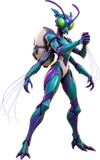
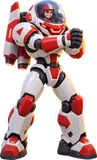
There are 12 heroes, and no two share a weapon. Zook and Brick are free. Nova, Rex, Glitch, Bjorn and Merlo come with Pro, and five Legend heroes (Captain Kaboom, Granite, Volt, MECH-9 and Weft) are sold one at a time for $1 to $4 and kept for good. Every stat on the select screen is the real number the game uses. Browse them all on the heroes page.
What stays on your computer
Your settings, scores and records live in Chrome’s extension storage on your device: the sites you’ve played, your level and your best run in each mode. The page you play on is never sent anywhere. The only things that leave your computer are leaderboard entries you choose to post, multiplayer traffic while you’re in a room, and purchase checks if you buy Pro.
Make the page look different
Four art styles change how the wreckage looks: Neon Night, Daylight, Pixel Wreck and Comic Ink. HUD panels also fade out when your cursor or hero moves behind them, so they never hide the page you’re playing on.
What crawls out in Web Invasion
In Web Invasion the page fights back. Every wave mixes close-range fighters, shooters and fliers, and new types unlock as you go: Office Zombies that get back up once, Tab Ghosts that float through walls, Gummy Bears that split in two, Skeleton Archers, swarming Byte Bats, Bomb Imps that run at you and explode, Mech Spiders that slow you with webs, Dire Wolves that hunt in packs, and more. Each wave has a timer, and if it runs out, the next wave joins the one you’re fighting, up to three at once.
The five built-in arenas
- PapaMarks: the default, a frozen snapshot of a real site with no scripts.
- Sky Tower: 26 floors, made for Floor Is Lava.
- Server Farm: dense racks of tiny parts, great for combos.
- Glass Museum: paintings and vases that shatter.
- The Daily Wreck: a fake news site with a cookie banner you can shoot.
More questions
Does it slow my browser down? Tabzooka only runs on a tab after you start it there, and stops when you close it. The rest of the time it does nothing.
Can I play on a phone? Not yet. Chrome extensions only run in desktop Chrome on Windows, Mac, Linux and ChromeOS.
Ideas for your first ten minutes
- Open your favourite news site and play Free Play: shoot the headline photo and watch it shatter.
- Press B a few times to build a crate tower, then knock out the bottom crate.
- Destroy about 14 elements to fill your Special, then fire it with E at the busiest part of the page.
- Switch to Target Rush and try to clear the marked elements before the clock runs out.
- Open the Glass Museum arena and break every painting.
Why build a game out of real websites?
Hand-made levels run out. The web doesn’t. Every site is a different shape, from a sparse search page to a crowded shopping homepage, so the same mode feels different everywhere you play it. It also means the game is always there: any time a page is loading slowly or you need a break, the level is already open in front of you.
Questions people ask
Does turning a website into a game change the real site?
No. Everything happens in your own tab. Close the game, or reload, and the page is back to normal for you and nobody else ever saw a change.
What’s the keyboard shortcut?
Alt+Shift+Z starts or stops Tabzooka on the current page, on Windows, Mac and Linux.
Why won’t it start on some pages?
Chrome blocks extensions on its own pages, such as chrome:// settings and the Chrome Web Store. Any normal website works.