TABZOOKA
How to play Tabzooka
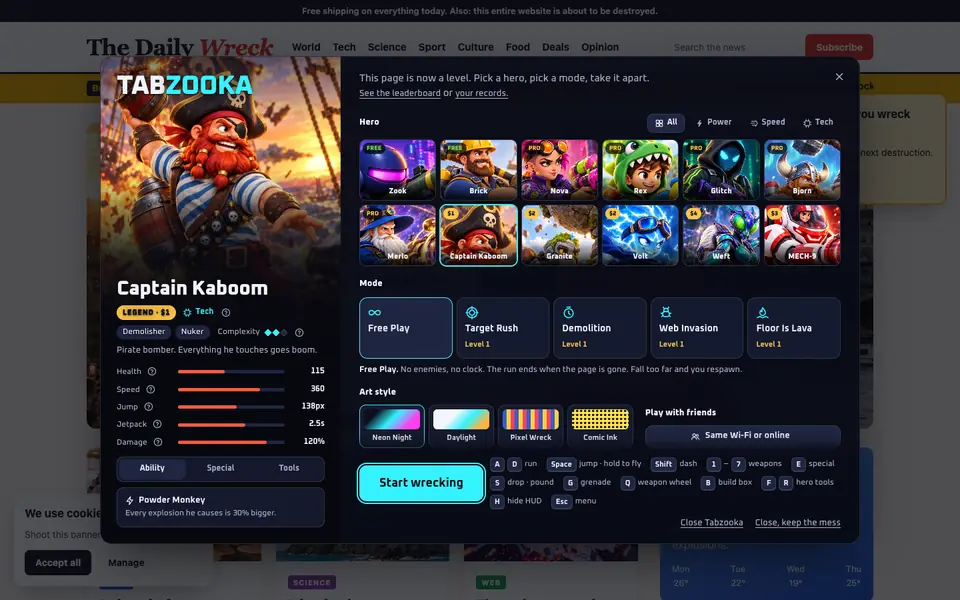
Add Tabzooka to Chrome, open any normal website, click the Tabzooka icon and press Wreck this page. You can also press Alt Shift Z on any site. Move with A and D, jump and jetpack with W, aim and fire with the mouse.
Start a game
- Add Tabzooka to Chrome from the Chrome Web Store.
- Open any normal website and click the Tabzooka icon in the toolbar.
- Press Wreck this page, or press Alt Shift Z on any site.
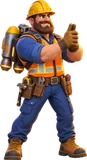
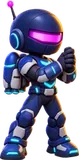
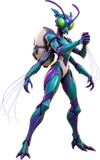
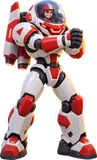
- Pick a hero and a mode. Want a page built for wrecking? Choose Play in an arena in the popup instead.
Stop and put the page back
Press Esc for the menu. The X on any menu closes the game and restores the page exactly as it was. The game only changes the page visually, in your own tab.
Controls
| Keys | Action |
|---|---|
| A / D | Run |
| W or Space | Jump. Hold it in the air to jetpack |
| Shift | Dash |
| E | Special power, when the Special meter is full |
| S | Drop through a platform, or ground-pound with a melee weapon |
| Mouse | Aim and fire |
| G or right-click | Grenade |
| 1–7, mouse wheel, or hold Q | Weapons. Holding Q opens the weapon wheel |
| B | Build a box. It lands on the element or box in front of you (below you in the air). Press again to stack. One every 2 seconds |
| F / R | Hero tools (Pro): two things each hero builds into the page, like portals, turrets or an acid pool |
| H | Hide or show the HUD |
| Esc | Menu. The X on any menu closes the game and restores the page |
HUD panels fade out when your cursor or hero is behind them, so they never hide the page.
Tips
- Watch your fuel. The jetpack only refills on the ground. Once the tank is empty, you fall.
- Long falls hurt you, never the page underneath. Braking with the jetpack before you land counts as catching yourself.
- Boxes can fall. Weapons, fire, lava, creatures and other players break them. When a box or the page under it goes, everything stacked on top collapses, so creatures can chew through a tower you’re hiding on.
- Your own explosions hurt you too, including Brick’s Remote Dynamite. Stand clear.
- Save your Special. It charges as you destroy elements (about 14) and defeat enemies, then fires with E. It hits harder than normal weapons but can’t clear a page on its own.
- Web Invasion heals slowly. Health never refills on its own. One heart drops after each cleared wave, and a green arrow shows where it is.
Next: choose a hero, learn the modes or play with friends.
Pick a page. Pick a hero.
Tabzooka is free to add to Chrome. The first page you wreck is the one you’re reading.